For paramedics, EMTs, police, fire, and CE instructors

Every CE record. One tap away.

myCE is an iPhone app that keeps your continuing education, certifications, and employment documents in one place, then compiles them into one file you can send.

Made by service members for service members.

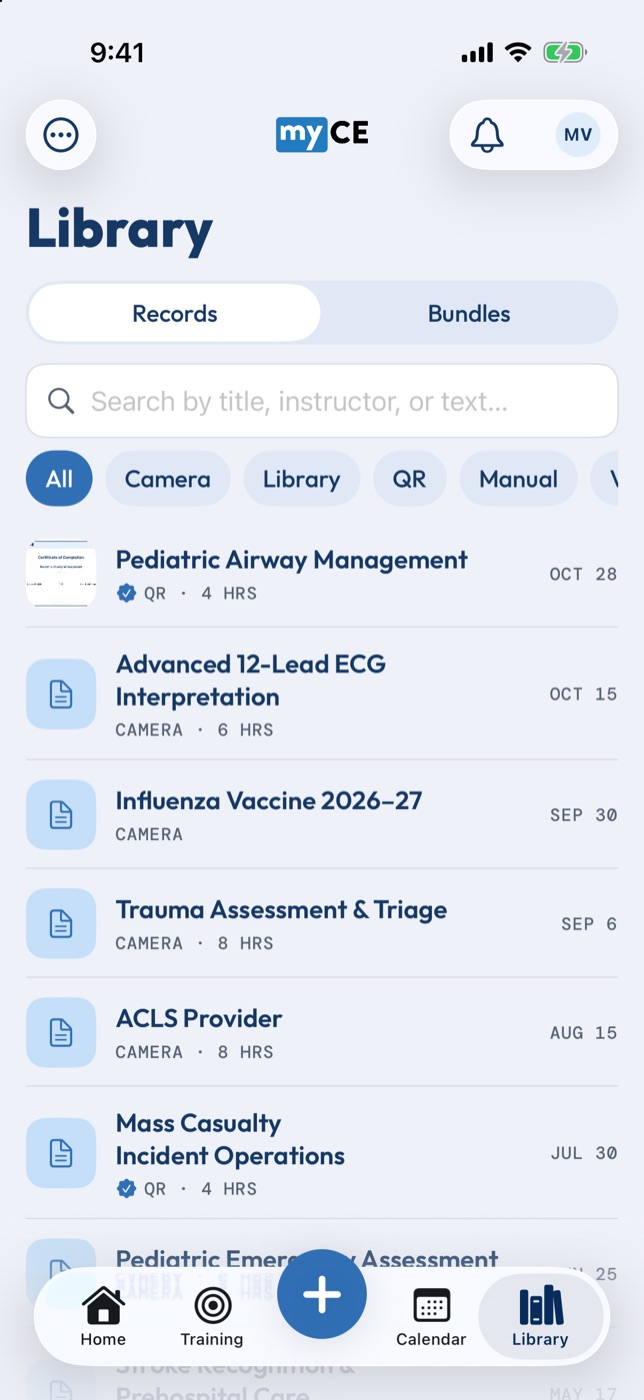
The myCE library: every record in one searchable list, with course names, providers and how each one was captured.

What it is

The record of your career, in your pocket

If you're licensed, you're on the hook to prove your training. That proof usually lives in old emails, camera rolls, and a binder at work. When renewal comes around or a job opens up, you lose a weekend putting it back together.

myCE keeps it all together as you go: CE hours, certification cards, licenses, vaccination records. It shows where you stand on each requirement, and when someone asks for proof, it's ready to send.

What makes myCE different

More than a place to keep certificates

Storing a photo of a certificate is the easy part. myCE also handles how the record gets made, and where it goes next.

  1. Classes run on QR codes

    Instructors scan students in at the door. When class closes, each student scans one code and the record lands in their library, already filled in.

    How it works
  2. Compile it and send it

    Pick your records and myCE builds one PDF with a cover sheet and your hours totaled. Send it to your state office, your accreditor, or HR.

    See it
  3. Job postings On the roadmap

    Your training history and work history are already here. Next, agencies will be able to post openings where the people qualified for them keep their records.

    What's planned

QR class management

No sign-in sheets. No emailing PDFs one student at a time.

Instructor tools are free. Students don't type anything: the class fills in the record for them.

  1. Set up the class

    One session or many, with the hours for each.

  2. Scan students in

    Each student shows their myCE QR code. You scan it, and they're on that session's roster with the time.

  3. Adjust if you need to

    Someone left early? Set their hours for that session.

  4. Close the class

    Your class QR code goes live for students to scan once.

  5. Students get one record

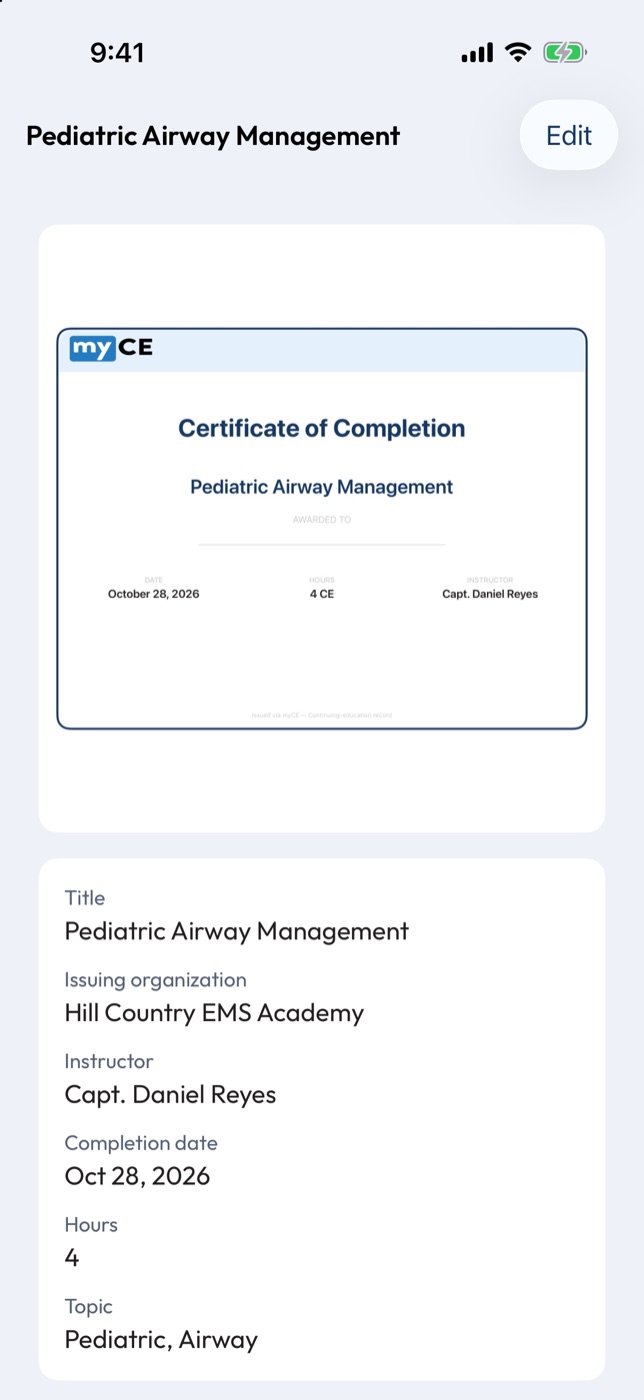
    Scan the class code and the title, hours, date, and instructor fill in on their own.

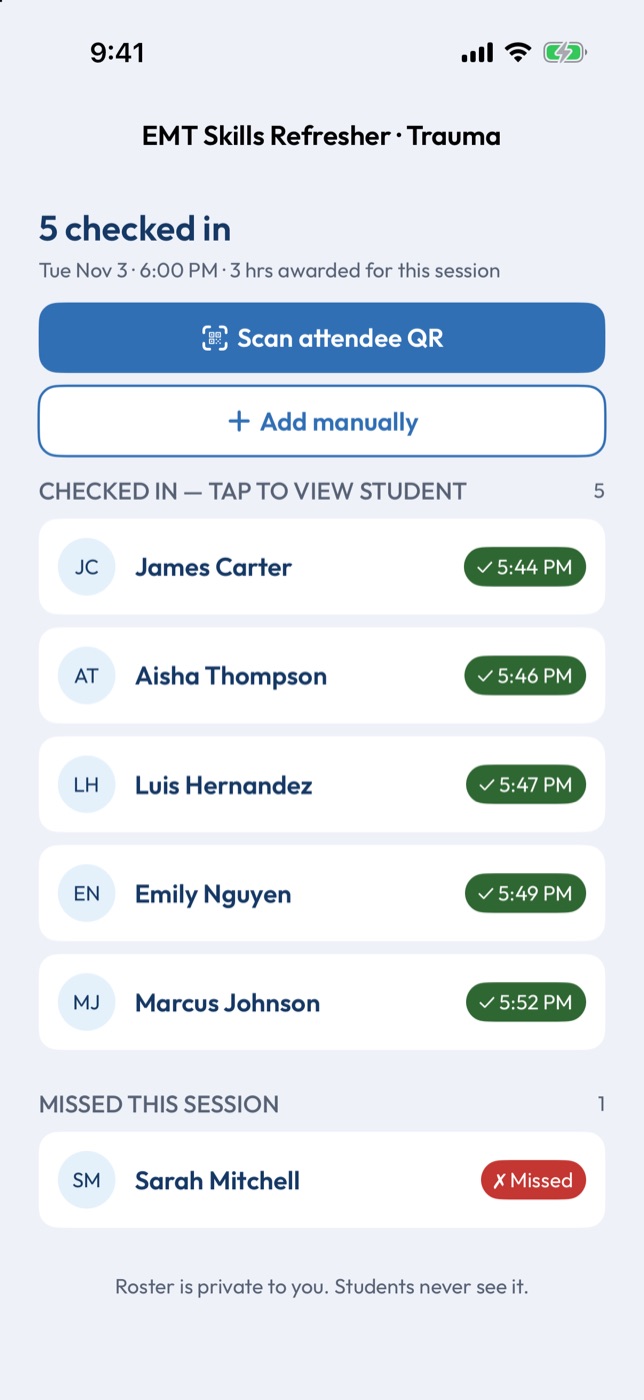
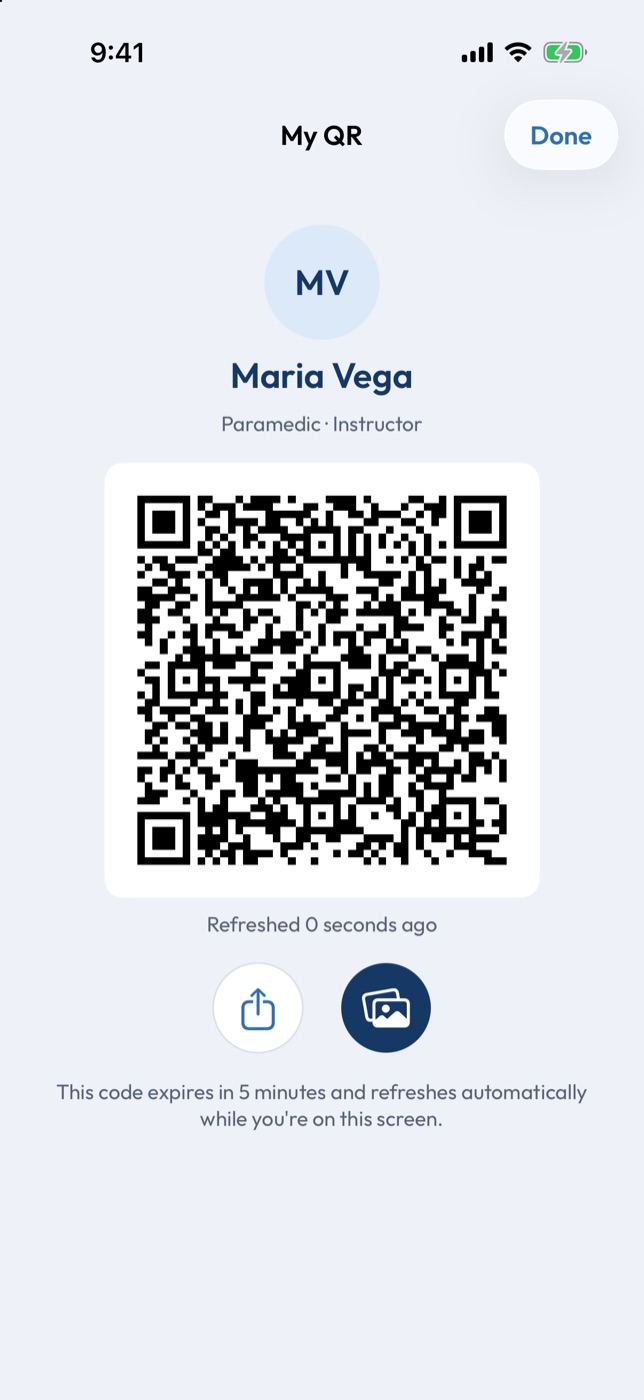
A session roster for an EMT Skills Refresher: five students checked in with their times, and one missed. A student's myCE QR code, which an instructor scans to take attendance. The record a student receives: Pediatric Airway Management, with its certificate, instructor, date and hours, marked as issued by QR.
Coming to the web

Run your whole program from a computer

  • Class management
  • Schedule management
  • Class postings students can find
  • Organization affiliation for your department or training group

Compile and send

Your whole packet, in one file

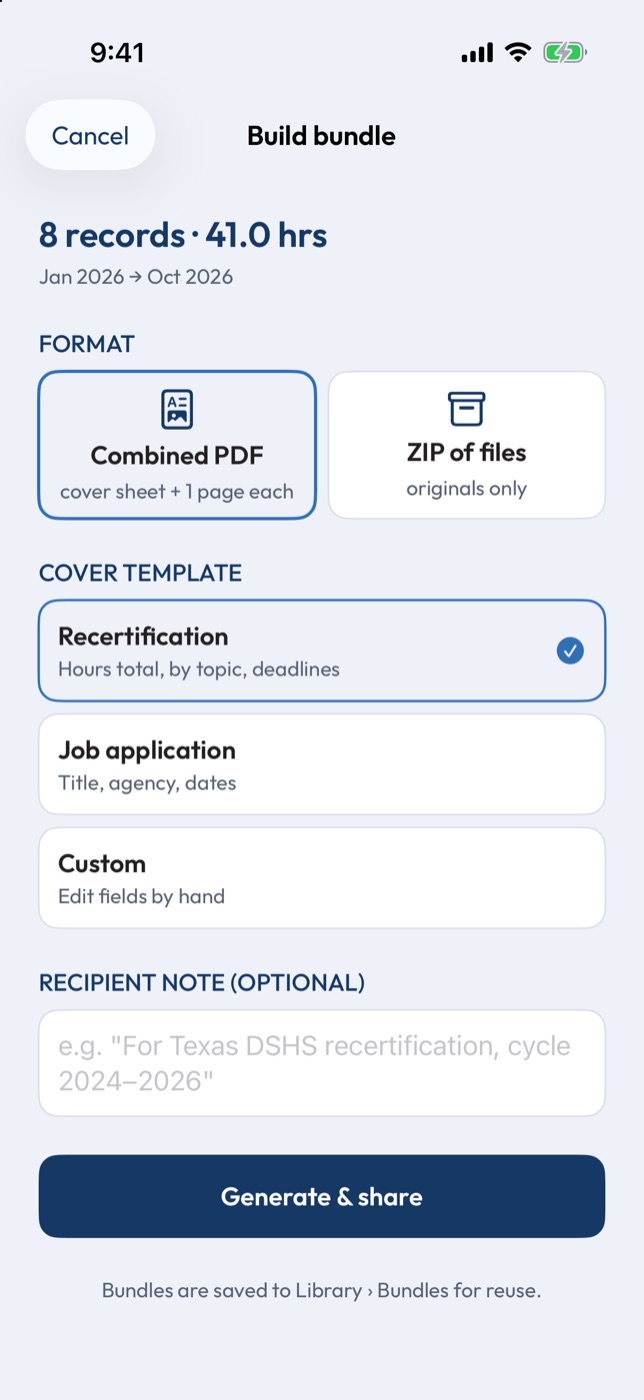
Renewal, a new job, an audit: someone always wants the paperwork. Select the records they asked for, or everything that matches a filter, and myCE combines them into one PDF.

  • A cover sheet with your name, role, dates, and total hours
  • Templates for recertification and job applications
  • Every page of every record, in one document
  • Send by email, AirDrop, or Files
  • Resend a past bundle without rebuilding it
Building a bundle: 8 records and 41 hours, as a combined PDF with a recertification cover.

Every day

Getting records in, and staying on top of them

Scan any certificate

Not every class uses myCE. Photograph a paper certificate or pick a saved one from your photos. myCE reads it on your phone and fills in the course, provider, instructor, date, and hours. Anything it isn't sure about is flagged for a quick check.
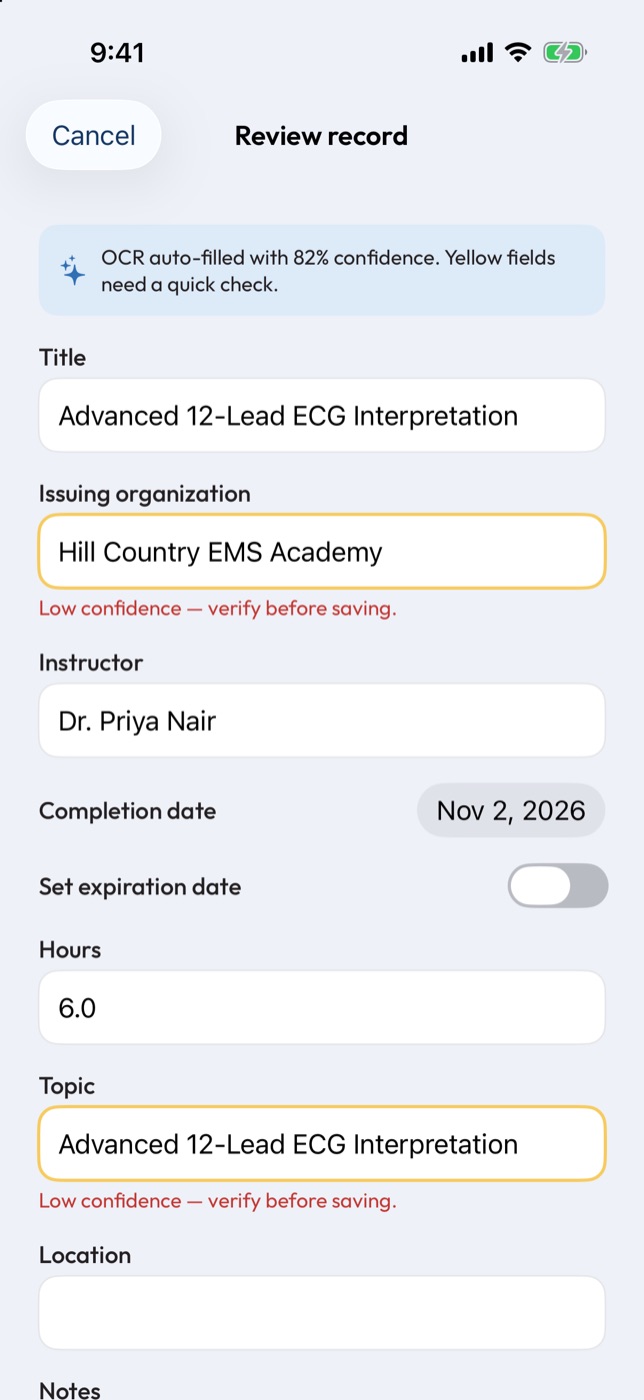
The review screen after scanning a certificate, with the course, instructor, date and hours filled in and two fields flagged to check.

Know where you stand

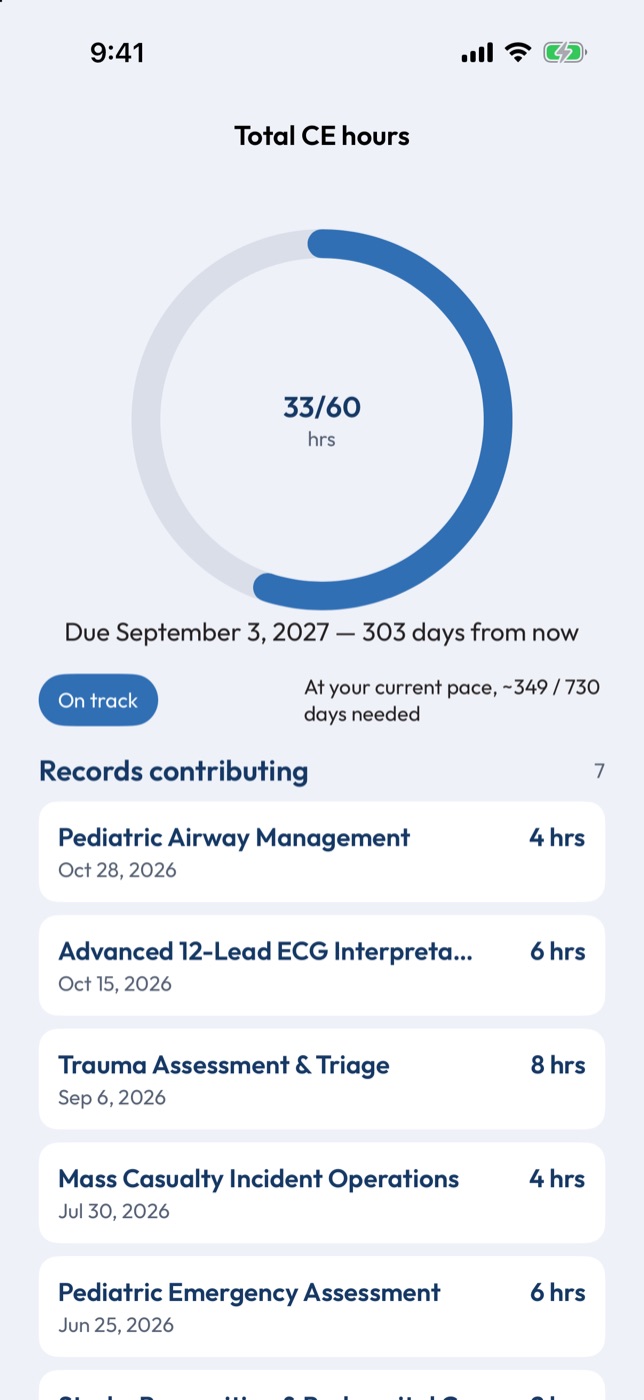
Common requirements for your role are ready when you sign up, and you can add whatever your department tracks. Each one shows your progress, what's counting toward it, and how long you have. Reminders come before a deadline, not after it.

Rules differ by state and agency, so everything is yours to adjust. Always check your requirements with your licensing body.

Progress on total CE hours: 33 of 60 hours, due in 303 days, with the records that count toward it.

Built for the people who do the job

  • EMS

    Track recertification hours and cards like ACLS, BLS, and PALS, and get your record before you leave the room.

  • Law enforcement

    Find that de-escalation course from two years ago by searching for it, and have your training history ready when a promotion opens up.

  • Fire

    Keep in-service hours, NIMS courses, and fit tests in one place, alongside the documents your department asks for.

  • Instructors and range officers

    Take attendance by QR and issue every student's record at once, using the same account you track your own CE with.

On the roadmap

Job postings, where your qualifications already live

We're planning job postings for agencies hiring first responders. You'd see openings alongside the records that qualify you, and you'd choose whether recruiters can find you. It's off unless you turn it on. It isn't in the app yet.

Questions

What does it cost?

Save up to 5 records for free. Unlimited records are $1.99 a month. Instructor tools are free, and your own records count toward the limit like everyone else's. Your records are never locked: you can always view, export, and delete them.

When can I get it?

We're getting ready for beta. Join the list and we'll email you when there's a spot.

What phones does it run on?

iPhone first. Android comes later.

Is there a web version?

It's on the way, with the most for instructors: classes, schedules, class postings, and organization affiliation.

Can I post or apply for jobs?

Not yet. Job postings are on our roadmap.

Does myCE verify my credentials?

No. myCE keeps your records organized. It doesn't issue or verify government credentials, and it isn't a licensing body.

Can I keep patient information in it?

No. myCE is for your credentials, not patient information.

Where are my records kept?

On your iPhone. Photos of your certificates stay there unless you choose to send them. Account sync is on the way, and we'll tell you what changes before it starts.

Can I take my records with me?

Yes. You can export everything or delete your account from inside the app.

Be first in line

Get early access